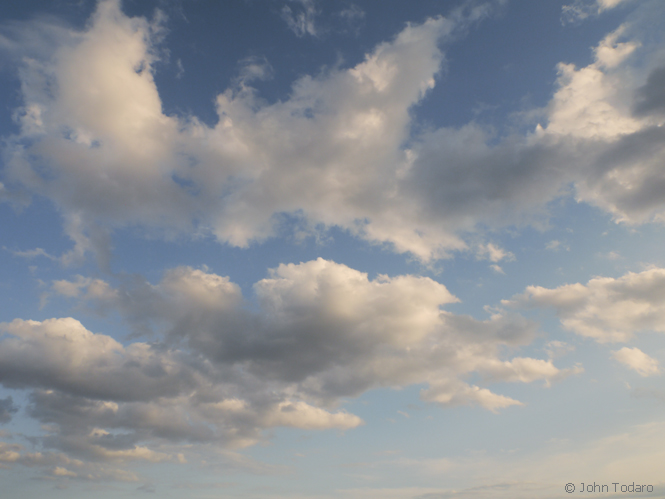
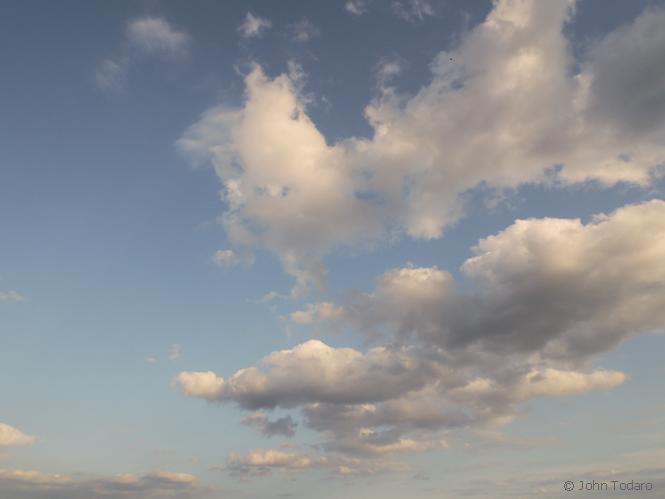
I’ve been intending to load up some cloud images. These were shot over Long Island Sound late one afternoon while traveling on the ferry from New London.
For a change of pace, I’ll talk a little bit about the workflow.
A bit of post-processing was involved here, but in this instance, it involved some “dial restraint”. There are lots of sexy things you can do to a picture in Photoshop, but I decided to avoid most of those today, and in fact, went the other direction.
I wanted a baby blue sky with pastel shades that look like they could float out of the picture. In order to do that, I had to reduce blue and cyan saturation. So I desaturated, maybe about 15%. I then applied a slight increase of yellow and red saturation in the highlights which sweetened up the clouds just a touch. To me, this is something like applying a tiny bit of blush. Another color adjustment involved going into selective color and tweaking blue and cyan ever-so-lightly so that those colors would be a little bit less magenta. I’m not that crazy about blue skies with a magenta bias.
There were a couple more things to do. I could’ve created a stormier sky here, especially if I leaned into the left slider on the levels. A similar thing could’ve been achieved had I selected a polarizing or a graduated ND filter. I took a look at those options but decided to do nothing. The sky had a native gradation which I liked, and so, except for a wee bit of lightening, I left the levels alone. On plenty of other occasions, I’ll want to take advantage of curves, levels and filters because I’m aiming for a different sort of look.
As a final act of non-action, I sharpened nothing here today because my 14mm Panasonic lens delivered a group of clouds that were agreeably diffuse. Photoshop can be like a candy store, but of course it’s not good to eat too much.
More cloudy pictures forecasted.
 JOHN TODARO
wonderful!!!!
vento
grazie, Vento
Great, keep them coming…
…more on the way
How interesting. I use Gimp, like Photoshop so they say (I haven’t ever used Photoshop), but I can only apply/subtract colors to the whole thing I think, or I worked out how to do one selective thing once but now I’ve forgotten and I wrote down how to do it in notes that I can’t locate at the moment…. I’m not very good with that kind of thing. I like your blush/make-up analogy, so true, in my limited experience anyway with photo editing, and slightly more with make-up 🙂 [less is more], as well as the candy….
Haven’t used Gimp here, but most of what you want to accomplish can be easily done in any of these programs.
Easy for some of us, heh. 🙂
Nice shots – and I praise your restraint :o) Yes Photoshop and Capture One which I also use can lead one down paths…….
Thanks Charles.